
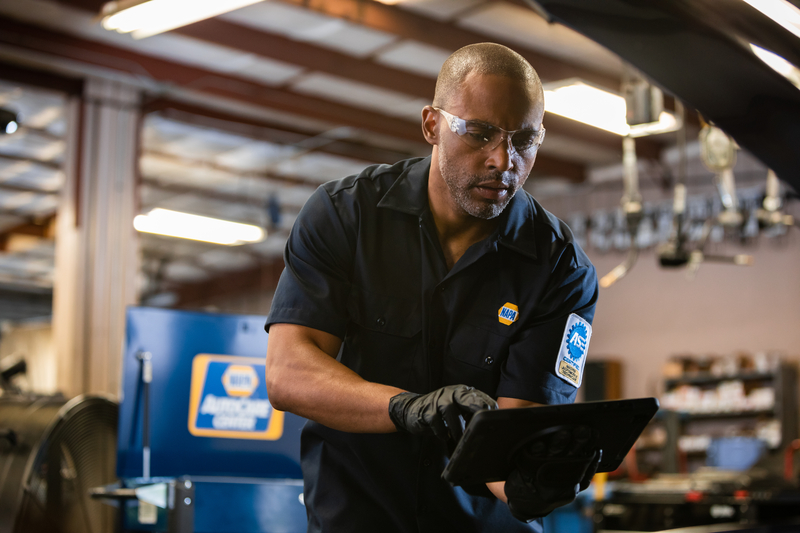
This is where the NAPA PROLink integration in NAPA TRACS is worth understanding in practical terms. Not as a marketing bullet point, but as a day-to-day workflow difference.
What PROLink Actually Does Inside NAPA TRACS
NAPA PROLink is NAPA’s electronic parts catalog and ordering platform. Inside NAPA TRACS, PROLink is integrated directly into the estimating and repair order workflow through the PROLink and Estimator extension. That means when a technician or service advisor is building an estimate, they do not open a separate browser, navigate to a separate website, or log into a separate system. The catalog is right there.
Here is what that looks like in practice on a repair order.
Parts Search Without Leaving the Repair Order
A customer comes in for a brake job. The technician identifies the rotors and pads needed. In NAPA TRACS with PROLink, the service advisor can search for the right parts using multiple lookup methods without switching to a different application.
Search options include: part description, VIN, job type, part category, part number, keyword, and NAPA Interchange. The VIN lookup is particularly useful for shops that see a lot of make and model variety, because it filters the catalog to only show parts that fit the specific vehicle. That eliminates the returns and delays that come from ordering the wrong part.
Each search result includes part images. NAPA’s catalog includes over 800,000 part images, which means service advisors can visually confirm they are looking at the right part before ordering. For shops dealing with multiple similar parts that differ by a small specification, this matters.
Find-It: Searching Across the Full NAPA Channel
One of the specific features in the PROLink integration is Find-It. This lets you search the complete NAPA channel simultaneously, checking availability across multiple NAPA stores and up to three distribution centers and NAPA suppliers in a single search.
In practical terms: if your primary NAPA store does not have a part in stock, Find-It shows you where else in the network it is available and how quickly it can get to you, without making a phone call. For shops in areas with multiple NAPA locations nearby, or for shops dealing with less common parts, this changes how you manage same-day versus next-day availability conversations with customers.
One-Click Ordering From the Estimate
Once you have selected the parts you need, ordering through PROLink happens with a single click from inside the estimate. The order goes directly to your servicing NAPA Store. No copying part numbers into a separate order form, no calling the counter, no switching windows.
The estimate already has the parts listed with real NAPA pricing. Converting that estimate to an order is immediate. The parts you selected at the pricing that was quoted transfer directly.
eCatalog Rack and Specialty Resources
Beyond standard catalog lookups, the PROLink integration includes access to NAPA’s eCatalogs. These can be browsed, printed, and zoomed, and items can be transferred directly from the eCatalog into an estimate. For specialty items or less common parts, eCatalogs provide the detailed specification information that standard catalog lookups do not always surface.
The Toolbox section within PROLink provides access to additional NAPA web resources including line cards, the Tech Hotline, and a Conversion Calculator. The Buyer’s Guide shows every vehicle application for a selected part, which is useful for multi-vehicle households or for shops that work heavily with specific makes. The Product Compare function lets you view multiple parts side by side before deciding which one to use.
Specials and Promotions That Actually Apply to Your Estimates
NAPA runs active specials and national promotions. These are visible directly in the PROLink interface within NAPA TRACS. When you are looking up parts for an estimate, current deals and promotions for those specific parts are surfaced automatically. That means shop owners and service advisors see applicable discounts as part of the normal workflow rather than having to separately check what deals are running.
For shops that do high volume with NAPA, this kind of real-time visibility into available deals can have a meaningful effect on parts margin over the course of a month.
Quick Picks for High-Frequency Items
The Quick Picks feature in PROLink provides a fast-access list of NAPA’s most frequently ordered items. For shops that regularly order the same categories of consumables and fast-moving parts, this reduces the search time to nearly zero. Technicians who know what they need can get to the order screen in seconds rather than running through a full catalog search.
Multiple Catalog Sources Beyond NAPA PROLink
While the PROLink integration is the most direct and native parts connection in NAPA TRACS, it is not the only catalog available. The industry catalogs feature also connects to PartsTech, RepairLink (OE parts from dealers), Epicor LaserCat 3, and Nexpart Multi-Seller. This means shops can compare pricing and availability across multiple vendors on the same job without switching systems.
The flexibility is meaningful for shops that are not exclusively NAPA-affiliated or that use a mix of suppliers depending on the job. Parts availability varies by brand, and having multiple catalog sources in one workflow means you can make the best sourcing decision for each specific part rather than defaulting to a single vendor because that is what your system is set up for.
What This Means for a NAPA-Affiliated Shop Specifically
If your shop is a NAPA AutoCare Center, the PROLink integration is not just a workflow convenience. It connects your parts purchasing directly to your shop management system in a way that no competing platform replicates natively. Tekmetric, Shopmonkey, AutoLeap, and Shop-Ware all integrate with third-party parts platforms, but none of them have the same built-in, native relationship with the NAPA catalog and ordering infrastructure.
For a shop doing 20 repair orders a day and sourcing NAPA parts on the majority of them, consider the time difference between opening PROLink from within the repair order versus switching to a browser, logging in separately, completing the search, copying part numbers, and switching back. Multiply that friction across every parts lookup for every job. The time savings accumulate into a real operational difference across a work week.
The Estimator for Non-TRACS Users
The PROLink Estimator is also available for shops that are not yet on NAPA TRACS as a full platform. It allows shops to create, print, email, and save professional estimates at no charge, with the ability to order NAPA parts directly from the estimate. Customer and vehicle data saved in the estimator can be imported directly into NAPA TRACS if and when a shop decides to upgrade to full shop management.
This is worth knowing for shops that are considering NAPA TRACS but want to see how the PROLink catalog workflow feels before making a full commitment.
Labor Profit Management Alongside Parts Ordering
Parts margin is one side of shop profitability. Labor margin is the other. For shops that want to monitor and improve labor profitability alongside parts ordering, the Labor Profit Management extension works alongside the core TRACS estimating workflow to give visibility into how each job is performing on the labor side.
How the PROLink Integration Fits Into the Bigger Picture
The PROLink integration is one piece of what NAPA TRACS offers as a complete shop management platform. Alongside parts ordering, the system handles scheduling, inventory management, profitability analytics, customer texting, payment processing via 360 Payments, and a range of extensions covering CRM, DVI, accounting, caller ID, and more.
For shops that want to understand the full system, the features overview covers each module. For shops specifically evaluating whether the PROLink integration fits their workflow, the PROLink estimator page has the detailed feature information. Parts are only ordered when Purchase Order and Transmit is selected, regardless of how the parts were looked up or which supplier they came from. To talk through your shop’s situation, get started here.